

Where to find this: Dashboard → Website Builder → Settings (gear icon) → Sitemap Builder → View/Edit
What is a sitemap?
A sitemap is a file that tells search engines (like Google) which pages exist on your website. When Google crawls your site, it uses the sitemap to discover and index your pages. Think of it as a table of contents for search engines - if a page isn’t in your sitemap, Google might not find it (or might take longer to discover it).Why control your sitemap?
Not every page should appear in Google search results. You might want to hide:- Thank you pages after form submissions
- Landing pages for specific ad campaigns
- Duplicate content pages
- Pages under construction that aren’t ready yet
- Pages for existing clients, like member setup or agreement pages
What hiding a page does
When you hide a page and publish, CoachIQ does four things:If Google already listed the page, it can stay in results for a while. Because the page is blocked in
robots.txt, Google can’t recrawl it to read the noindex tag, so an old result can linger, often with “No information is available for this page” under it. To remove it quickly, use the Removals tool in Google Search Console.Using the Sitemap Builder
1
Open Website Settings
In the Website Builder, click the Settings gear icon in the left sidebar.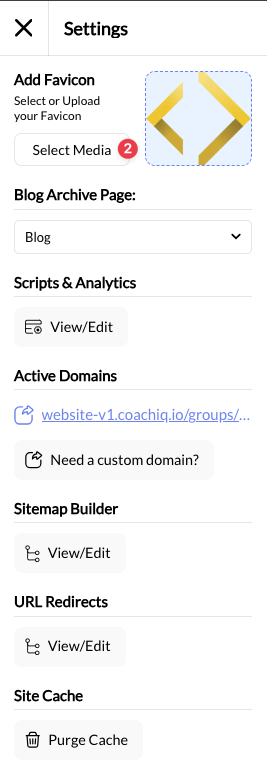
2
Open Sitemap Builder
Scroll to Sitemap Builder and click View/Edit. A modal opens showing all your pages.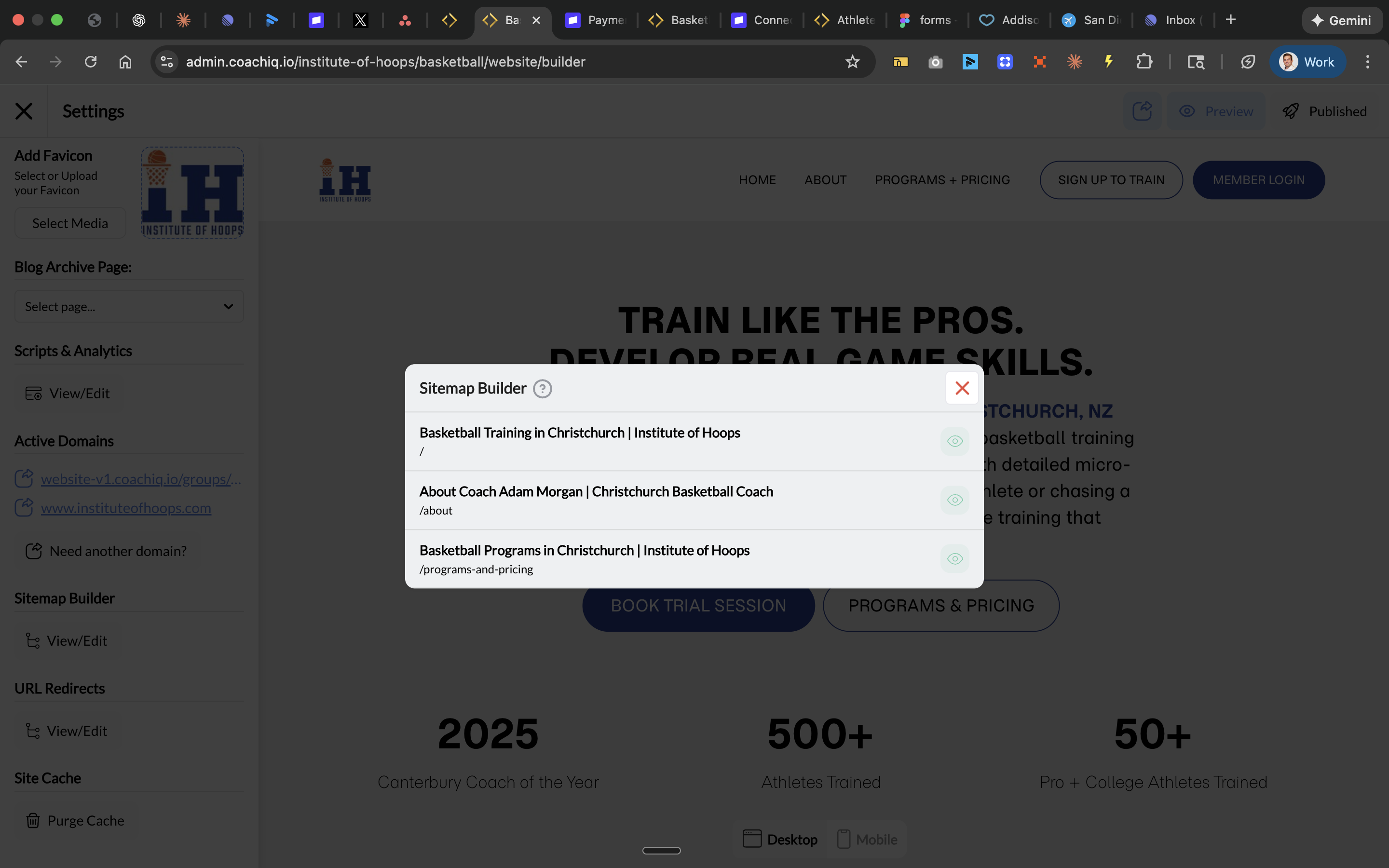
3
Toggle Page Visibility
Each page shows: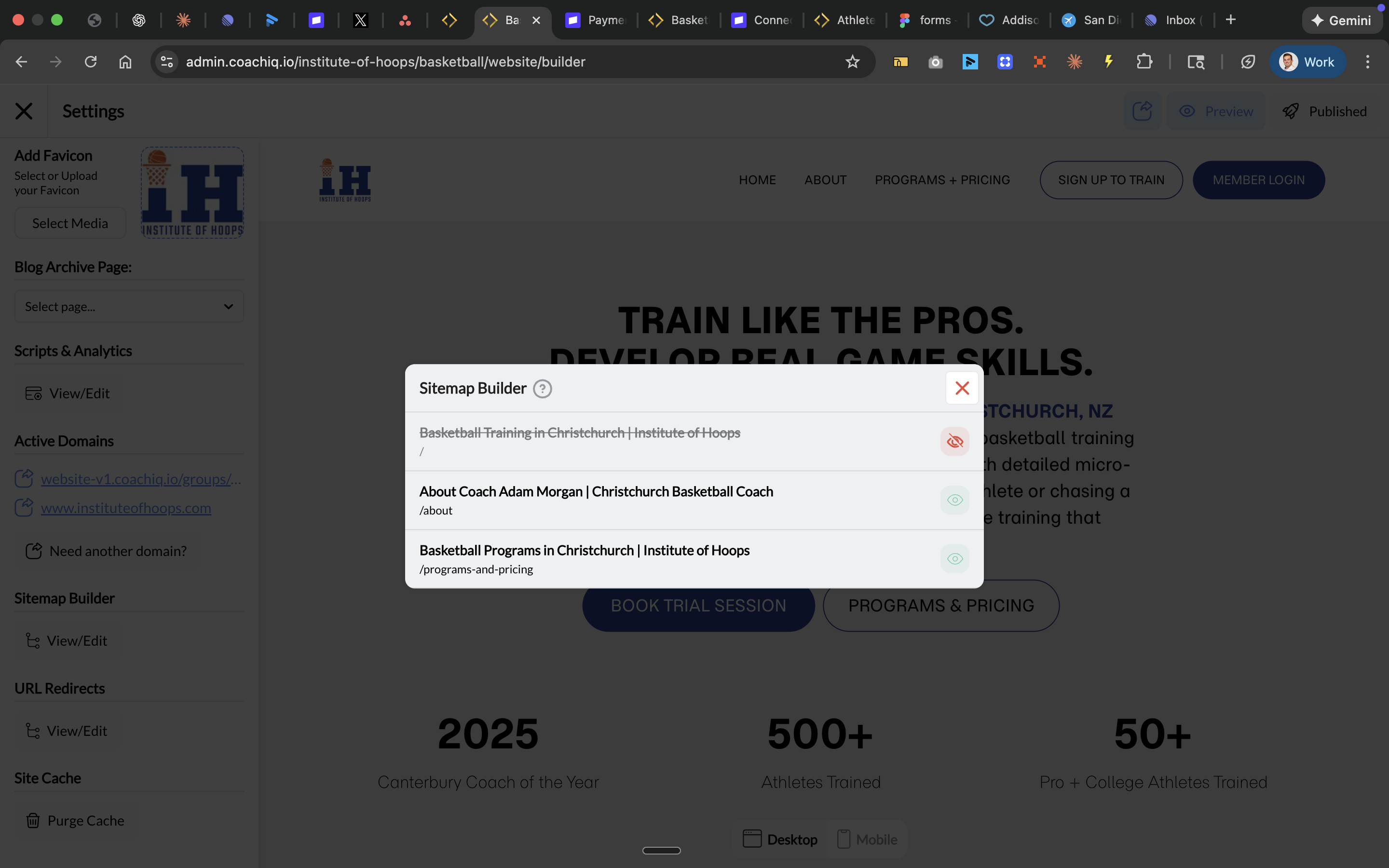
- Page title (what appears in search results)
- URL slug (the page path like
/about) - Eye icon (visibility toggle)
- Eye visible = The page is in your sitemap and open to search engines
- Eye crossed out = The page is hidden: left out of your sitemap, blocked in
robots.txtand taggednoindex. It still loads for anyone with the link
4
Close and Publish
Close the modal and click Publish to update your sitemap.
When to hide a page
Common questions
Does hiding a page make it private?
Does hiding a page make it private?
No. Anyone with the direct link can still visit the page. Hiding only affects search engines and AI tools that follow your sitemap,
robots.txt and robots tags. Don’t put private information on a website page.How long until Google notices the change?
How long until Google notices the change?
Google typically re-crawls sitemaps within days to weeks. You can speed this up by submitting your sitemap in Google Search Console.
Will my page disappear from Google immediately?
Will my page disappear from Google immediately?
No, and there’s no fixed timeline. A page Google already listed can stay in results for a while, sometimes as a bare link with “No information is available for this page.” Use the Removals tool in Google Search Console if you need it gone quickly.
Should I hide my blog posts?
Should I hide my blog posts?
Generally no - blog posts are great for SEO and bringing organic traffic. Only hide them if they’re outdated or no longer relevant.
Where can I see my actual sitemap file?
Where can I see my actual sitemap file?
Your sitemap is automatically generated at
yourdomain.com/sitemap.xml, and your crawl rules are at yourdomain.com/robots.txt. Visit either to check what search engines see. Hidden pages are missing from the sitemap and listed as Disallow in robots.txt.Pro tip: Submit your sitemap to Google
After making changes, submit your sitemap to Google Search Console for faster indexing:- Go to Google Search Console
- Select your property
- Navigate to Sitemaps in the left menu
- Enter
sitemap.xmland click Submit