

- Stripe’s processing fee. The standard US card rate is 2.9% + $0.30. Your rate depends on your Stripe account, the payment method, and the card’s country.
- The CoachIQ platform fee. The Product Builder’s Product Preview shows it as CoachIQ Platform Fee, for example 1% + $0.20.
Example
For a $100 product, with Stripe at 2.9% + $0.30 and a platform fee of 1% + $0.20:
When the buyer pays the fee, Stripe’s percentage applies to the whole $104.40, so you receive slightly less than the full price. Raise the fee a little if you need to net every cent.
Add a processing fee to a product
1
Open the product
Go to Payments → Products, then select + Create or open an existing product.
2
Turn on Add processing fee
In the Payment section, turn on Add processing fee.
3
Set the amounts
Enter the Fixed Fee and Percentage Fee. The fields start at Stripe’s standard card rate. If the buyer should also cover the CoachIQ platform fee, add its percentage and fixed amount to the matching fields.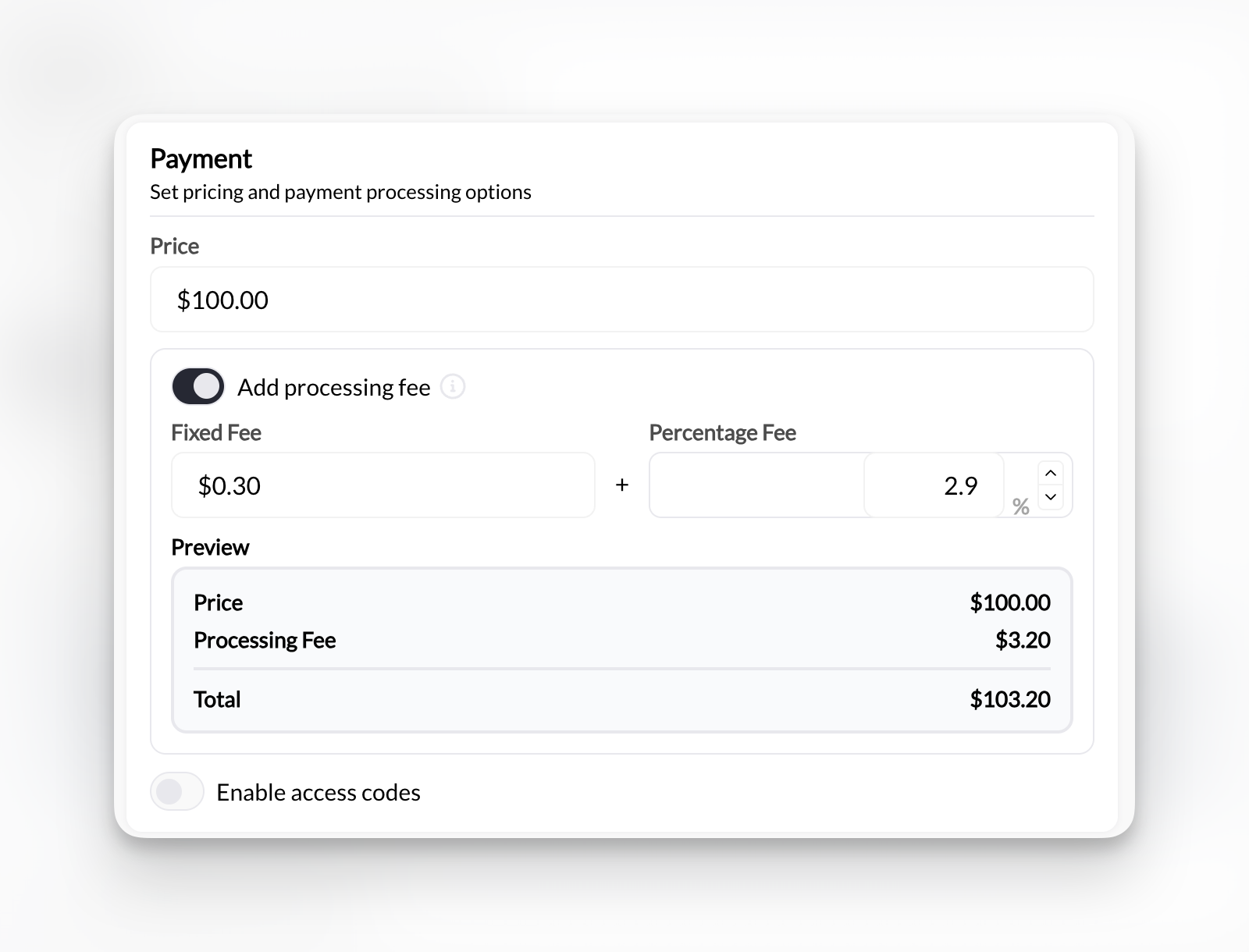
4
Check the preview and save
The Preview shows the price, the processing fee, and the total the buyer pays. Save the product.
Fees for ACH payments
If your organization accepts US bank account (ACH) payments, the processing fee settings include a separate fee for ACH. Bank payments usually cost less than cards, so you can charge bank payers a lower fee, or none, on the same product. Checkout applies the fee that matches the method the buyer chooses.- Turn on ACH for your organization. See Payment methods at checkout.
- In the product’s Payment section, set the card fee as usual.
- Set the ACH fee to cover what a bank payment costs you, using your Stripe pricing, or leave it at zero.
Changing a product’s fee
A change applies to new purchases. Past transactions and existing subscriptions aren’t changed. Tell families before you change the fee on a product they buy regularly.Before you add fees
- Some US states restrict or prohibit card surcharges, and card networks have their own disclosure rules. Check the rules where you operate before passing card fees on.
- Say in the product description that a processing fee is added, so it isn’t a surprise at checkout.
- Stripe can charge more for international cards, currency conversion, and disputes. These aren’t included in the fee fields. See your Stripe pricing.