Where to find this: Dashboard → Website Builder → Select any page → Page Settings panel

What you’ll accomplish

Customize your page URLs to look professional and improve SEO by removing auto-generated numbers and creating clean, memorable links. Time required: 2-3 minutes per page

Understanding URL slugs

The slug is the part of your website URL that comes after your domain:
  • Your domain: yourcoachingsite.com
  • Page slug: /about
  • Full URL: yourcoachingsite.com/about

Why clean URLs matter for coaches

  • Professional credibility: coachsmith.com/basketball-training looks more trustworthy than coachsmith.com/page-1755106901008
  • Easy sharing: Parents can easily remember and share yoursite.com/camps with other parents
  • Better SEO: Search engines prefer descriptive URLs with relevant keywords

How to update your URL slugs

1

Access Page Settings

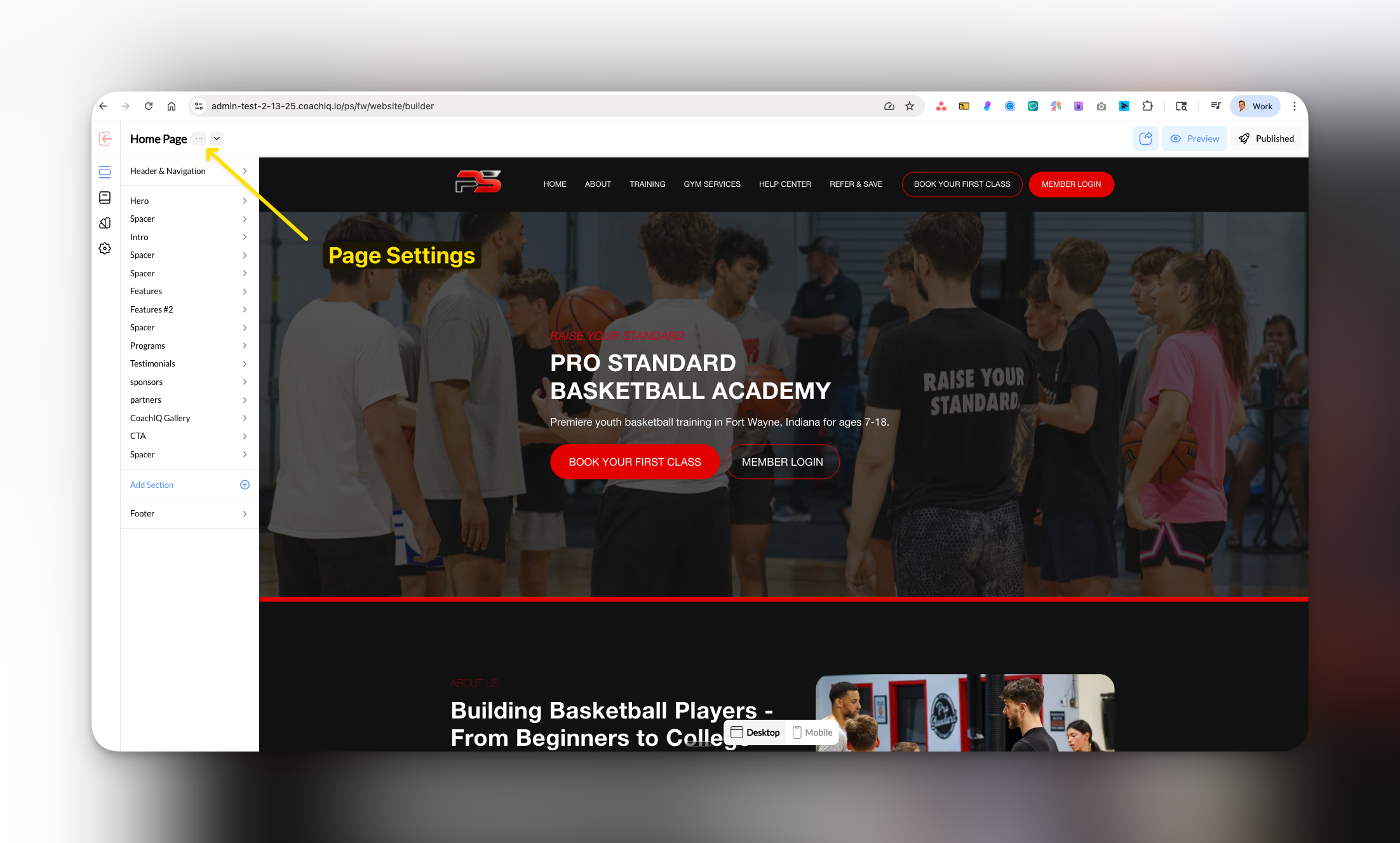
In Website Builder, select the page you want to edit and click Page Settings in the left panel.
Page Settings panel location in CoachIQ Website Builder interface
2

Edit the Slug field

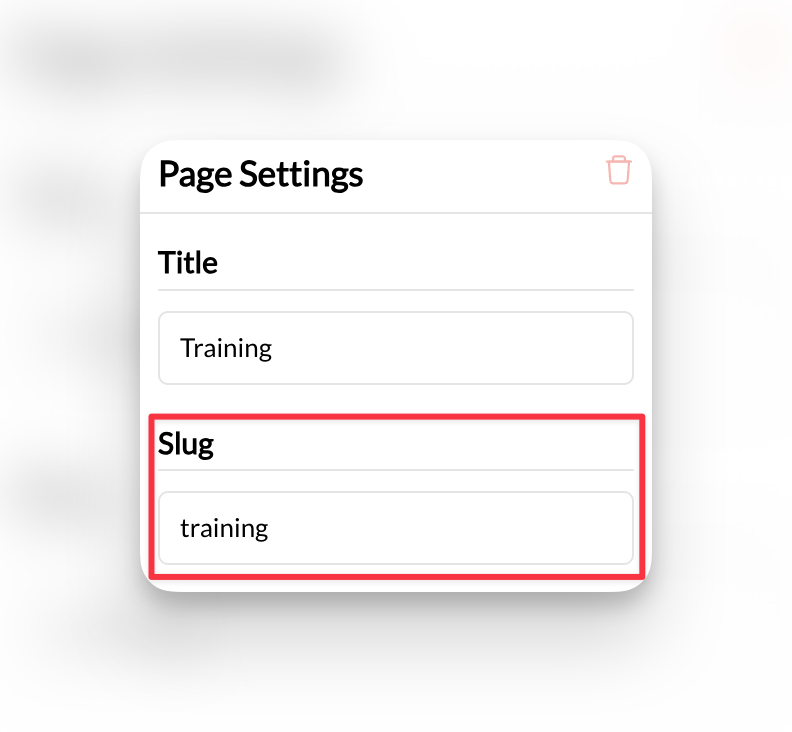
In the Page Settings panel, find the Slug field. You’ll see the current URL (which may have numbers like about-1755106901008).
Slug Url Pn

The URL slug field where you can replace auto-generated numbers with clean, professional URLs

CoachIQ automatically adds numbers to prevent duplicate URLs, but you can customize these for better branding.
3

Create your custom slug

Delete the existing slug and type your preferred URL. Best practices:
  • Keep it short and descriptive: about, training-programs, contact
  • Use hyphens (not spaces): basketball-training not basketball training
  • Include keywords when relevant: youth-basketball-camps
Pro tip: Match your slug to your page title for consistency and better SEO.
4

Publish your changes

Click Publish to make your new URL live.
Your page now has a clean, professional URL that’s easy to share and remember.

Common URL slug examples for coaches

Service Pages

  • /basketball-training
  • /group-sessions
  • /private-coaching
  • /summer-camps

Business Pages

  • /about
  • /contact
  • /pricing
  • /testimonials

Removing auto-generated numbers

Why numbers appear: When you create pages with similar names, CoachIQ adds numbers to prevent URL conflicts. How to clean them up:
  1. Replace about-1755106901008 with simply about
  2. Change training-programs-2 to training-programs
  3. Update contact-3 to contact
Important: Don’t use a slug that’s already taken by another page. CoachIQ will show an error if there’s a conflict.

Best practices

Keep URLs short: Aim for 2-4 words maximum for better user experience and sharing.
Use keywords: Include relevant coaching terms that your clients might search for.
Stay consistent: Use the same format across all pages (all lowercase, hyphens for spaces).

Common questions

The old URL will no longer work. If you’ve shared links or have the page bookmarked, you’ll need to update those with the new URL.
No, each page must have a unique slug. CoachIQ will show an error if you try to use a duplicate slug.
Yes! Clean URLs like yoursite.com/basketball-camps look more professional when shared on Facebook, Instagram, or in text messages. They’re also easier for parents to type and remember.
Yes, if it’s relevant. URLs like /basketball-training or /soccer-camps are more descriptive and SEO-friendly than generic terms like /training or /camps.