> ## Documentation Index
> Fetch the complete documentation index at: https://help.coachiq.io/llms.txt
> Use this file to discover all available pages before exploring further.
# Features Section
> The Features & Benefits Block in CoachIQ's Web Builder is designed to help private sports coaches effectively showcase the advantages of their training programs.
## **How to Use the Features & Benefits Block in CoachIQ's Web Builder**
 ### **Overview**
By highlighting key skills, values, and goals, this feature makes it easier for potential clients to understand the value of your coaching services.
### **Use Cases for Private Sports Coaches**
1. **Skill Development Highlights**
* **Purpose**: Emphasize specific skills athletes will acquire, such as agility, strength, or strategic thinking.
* **Example**: List features like "Build Real Skills," "Increase Game IQ," and "Enhance Coordination" to highlight tangible skill improvements.
2. **Motivational Goals**
* **Purpose**: Inspire potential clients by outlining aspirational goals your coaching can help achieve.
* **Example**: Use phrases like "Reach College Level" or "Become a Leader" to demonstrate how your training can uplift an athlete’s future prospects.
3. **Training Benefits**
* **Purpose**: Highlight broader benefits beyond skill-building, such as resilience, discipline, and confidence.
* **Example**: Include benefits such as "Build Resilience" and "Improve Faster" to communicate the holistic growth in athletes.
4. **Competitive Edge**
* **Purpose**: Illustrate how your coaching gives athletes an advantage in competitive sports.
* **Example**: List benefits like "Improve Athleticism" and "Develop Mental Toughness" to show how athletes will excel in their sport.
5. **Program-Specific Results**
* **Purpose**: Detail results tied to specific programs, such as speed training or mental coaching.
* **Example**: Include items like "Increase Vertical Jump," "Boost Endurance," and "Enhance Focus," based on the program’s objectives.
### **Steps to Add a Features & Benefits Block**
1. **Access the Web Builder**:
* Log in to CoachIQ.
* Navigate to your dashboard and open the Web Builder.
2. **Select the Features & Benefits Block**:
* Click “Add Block.”
* Choose “Features & Benefits” from the list of options.
3. **Add Key Points**:
* **Benefit Titles**: Use concise, impactful titles that are easy to understand.
* **Descriptions** (Optional): Add brief descriptions for each point for added context.
4. **Customize the Layout**:
* **Alignment & Icons**: Adjust the layout and choose icons, or use simple checkmarks for clarity.
* **Background & Styling**: Modify colors and fonts to align with your brand’s theme.
5. **Preview and Publish**:
* Review the block on different devices.
* Click “Save” and “Publish” to make it live.
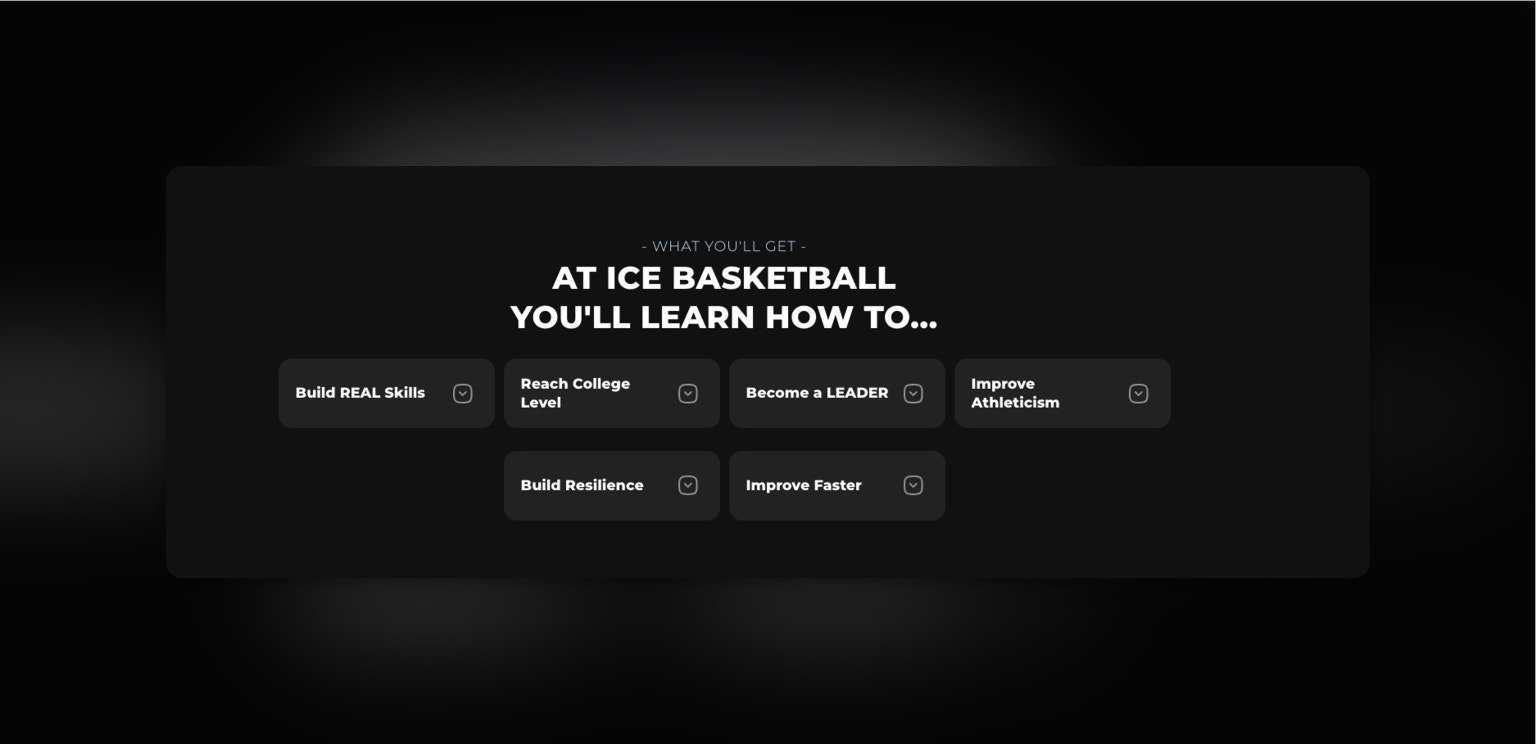
### **Example List for Features & Benefits Block**
* **Build Real Skills**
* **Reach College Level**
* **Become a Leader**
* **Improve Athleticism**
* **Build Resilience**
* **Improve Faster**
By effectively using the Features & Benefits Block, you can clearly communicate the unique value your training offers, helping potential clients understand why they should choose your services.
***
### **Tips and Best Practices**
* **Be Concise**: Use short, impactful phrases to maintain clarity.
* **Visual Appeal**: Use icons and consistent styling to make the block visually engaging.
* **Target Audience**: Tailor your features and benefits to the specific needs of your target athletes.
### **Frequently Asked Questions**
**Q: Can I edit the Features & Benefits Block after publishing?** A: Yes, you can edit the block at any time. Simply access the Web Builder, make your changes, and republish.
**Q: Can I use images in the Features & Benefits Block?** A: Currently, only icons and text are supported in this block for simplicity and speed
### **Overview**
By highlighting key skills, values, and goals, this feature makes it easier for potential clients to understand the value of your coaching services.
### **Use Cases for Private Sports Coaches**
1. **Skill Development Highlights**
* **Purpose**: Emphasize specific skills athletes will acquire, such as agility, strength, or strategic thinking.
* **Example**: List features like "Build Real Skills," "Increase Game IQ," and "Enhance Coordination" to highlight tangible skill improvements.
2. **Motivational Goals**
* **Purpose**: Inspire potential clients by outlining aspirational goals your coaching can help achieve.
* **Example**: Use phrases like "Reach College Level" or "Become a Leader" to demonstrate how your training can uplift an athlete’s future prospects.
3. **Training Benefits**
* **Purpose**: Highlight broader benefits beyond skill-building, such as resilience, discipline, and confidence.
* **Example**: Include benefits such as "Build Resilience" and "Improve Faster" to communicate the holistic growth in athletes.
4. **Competitive Edge**
* **Purpose**: Illustrate how your coaching gives athletes an advantage in competitive sports.
* **Example**: List benefits like "Improve Athleticism" and "Develop Mental Toughness" to show how athletes will excel in their sport.
5. **Program-Specific Results**
* **Purpose**: Detail results tied to specific programs, such as speed training or mental coaching.
* **Example**: Include items like "Increase Vertical Jump," "Boost Endurance," and "Enhance Focus," based on the program’s objectives.
### **Steps to Add a Features & Benefits Block**
1. **Access the Web Builder**:
* Log in to CoachIQ.
* Navigate to your dashboard and open the Web Builder.
2. **Select the Features & Benefits Block**:
* Click “Add Block.”
* Choose “Features & Benefits” from the list of options.
3. **Add Key Points**:
* **Benefit Titles**: Use concise, impactful titles that are easy to understand.
* **Descriptions** (Optional): Add brief descriptions for each point for added context.
4. **Customize the Layout**:
* **Alignment & Icons**: Adjust the layout and choose icons, or use simple checkmarks for clarity.
* **Background & Styling**: Modify colors and fonts to align with your brand’s theme.
5. **Preview and Publish**:
* Review the block on different devices.
* Click “Save” and “Publish” to make it live.
### **Example List for Features & Benefits Block**
* **Build Real Skills**
* **Reach College Level**
* **Become a Leader**
* **Improve Athleticism**
* **Build Resilience**
* **Improve Faster**
By effectively using the Features & Benefits Block, you can clearly communicate the unique value your training offers, helping potential clients understand why they should choose your services.
***
### **Tips and Best Practices**
* **Be Concise**: Use short, impactful phrases to maintain clarity.
* **Visual Appeal**: Use icons and consistent styling to make the block visually engaging.
* **Target Audience**: Tailor your features and benefits to the specific needs of your target athletes.
### **Frequently Asked Questions**
**Q: Can I edit the Features & Benefits Block after publishing?** A: Yes, you can edit the block at any time. Simply access the Web Builder, make your changes, and republish.
**Q: Can I use images in the Features & Benefits Block?** A: Currently, only icons and text are supported in this block for simplicity and speed