> ## Documentation Index
> Fetch the complete documentation index at: https://help.coachiq.io/llms.txt
> Use this file to discover all available pages before exploring further.
# Credibility Section
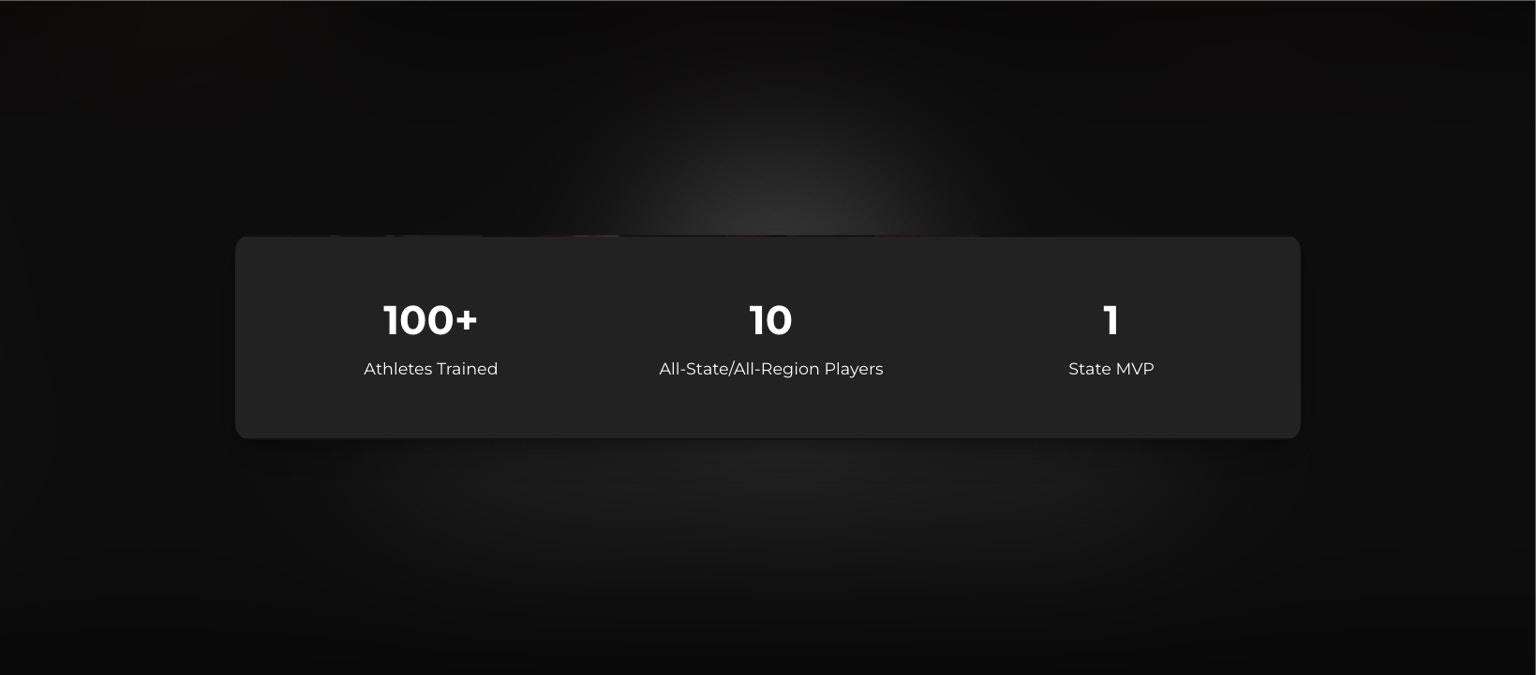
> The Stats Block feature in CoachIQ's Web Builder is designed to establish your credibility as a coach.
## **How to Use the Stats Block for a Credibility Section in CoachIQ's Web Builder**
 ### **Introduction**
By highlighting key achievements and years of experience, it helps potential clients trust in your expertise and coaching success. Use this section to emphasize numbers that showcase your proven track record.
### **Use Cases for Establishing Credibility**
#### **1. Number of Athletes Coached**
* **Purpose**: Demonstrate the breadth of your coaching experience by displaying how many athletes you've trained.
* **Example**: "150+ Athletes Coached" — This shows numerous athletes have trusted and benefited from your expertise.
#### **2. Professional or Elite Athletes Coached**
* **Purpose**: Highlight any high-level or professional athletes you've coached to reinforce your expertise at the elite level.
* **Example**: "5 NBA Athletes Trained" — Mentioning professional athletes showcases your experience at the highest levels of the sport, boosting credibility among aspiring players.
#### **3. Years of Coaching Experience**
* **Purpose**: Emphasize your long-standing dedication to coaching, reassuring clients of your expertise and reliability.
* **Example**: "10 Years as a Professional Coach" — This conveys experience and stability, building trust with new clients by demonstrating a strong foundation in the field.
#### **4. Athlete Achievements**
* **Purpose**: Showcase the accomplishments of your athletes, such as awards or recognitions, as a testament to your effective coaching.
* **Example**: "10 All-State Athletes" — Sharing these achievements demonstrates that your coaching translates into real success for your athletes.
#### **5. Specialized Coaching Certifications**
* **Purpose**: If applicable, list any advanced certifications or credentials to add further credibility.
* **Example**: "Certified Strength & Conditioning Specialist" — Certifications show a commitment to professional development and expertise in specialized areas.
### **Steps to Add a Stats Block for Credibility**
1. **Access the Web Builder**:
* Log in to CoachIQ, go to your dashboard, and open the Web Builder.
2. **Select the Stats Block**:
* Click "Add Block" and choose "Stats" from the options.
3. **Add Key Credibility Metrics**:
* **Number**: Input each key metric (e.g., "150+", "5", "10").
* **Description**: Briefly describe each number with a focus on credibility (e.g., "Athletes Coached", "NBA Athletes Trained", "Years Coaching").
4. **Customize the Design**:
* **Font & Colors**: Choose a style that matches your brand and emphasizes professionalism.
* **Spacing & Alignment**: Ensure the stats are clearly visible and well-spaced to make an impact.
5. **Preview and Publish**:
* Check how the block appears on various devices, then click "Save" and "Publish" to make it live.
### **Example Stats Block Content for Credibility**
* **150+** – Athletes Coached
* **5** – NBA Athletes Trained
* **10** – Years as a Coach
By using the stats block as a credibility section, you create a strong first impression, reassuring potential clients of your proven experience and expertise in the field.
### **Tips and Best Practices**
* **Highlight Unique Achievements**: Focus on unique aspects of your coaching that set you apart from others.
* **Keep It Concise**: Use straightforward language and avoid clutter to maintain the impact of your stats.
### **Frequently Asked Questions**
#### **Q: How can I ensure my stats block stands out?**
A: Use contrasting colors and bold fonts to make your stats eye-catching and ensure they align with the overall website design.
#### **Q: Can I update my stats block later?**
A: Yes, you can update your stats at any time by accessing the Web Builder and editing the Stats Block.
### **Introduction**
By highlighting key achievements and years of experience, it helps potential clients trust in your expertise and coaching success. Use this section to emphasize numbers that showcase your proven track record.
### **Use Cases for Establishing Credibility**
#### **1. Number of Athletes Coached**
* **Purpose**: Demonstrate the breadth of your coaching experience by displaying how many athletes you've trained.
* **Example**: "150+ Athletes Coached" — This shows numerous athletes have trusted and benefited from your expertise.
#### **2. Professional or Elite Athletes Coached**
* **Purpose**: Highlight any high-level or professional athletes you've coached to reinforce your expertise at the elite level.
* **Example**: "5 NBA Athletes Trained" — Mentioning professional athletes showcases your experience at the highest levels of the sport, boosting credibility among aspiring players.
#### **3. Years of Coaching Experience**
* **Purpose**: Emphasize your long-standing dedication to coaching, reassuring clients of your expertise and reliability.
* **Example**: "10 Years as a Professional Coach" — This conveys experience and stability, building trust with new clients by demonstrating a strong foundation in the field.
#### **4. Athlete Achievements**
* **Purpose**: Showcase the accomplishments of your athletes, such as awards or recognitions, as a testament to your effective coaching.
* **Example**: "10 All-State Athletes" — Sharing these achievements demonstrates that your coaching translates into real success for your athletes.
#### **5. Specialized Coaching Certifications**
* **Purpose**: If applicable, list any advanced certifications or credentials to add further credibility.
* **Example**: "Certified Strength & Conditioning Specialist" — Certifications show a commitment to professional development and expertise in specialized areas.
### **Steps to Add a Stats Block for Credibility**
1. **Access the Web Builder**:
* Log in to CoachIQ, go to your dashboard, and open the Web Builder.
2. **Select the Stats Block**:
* Click "Add Block" and choose "Stats" from the options.
3. **Add Key Credibility Metrics**:
* **Number**: Input each key metric (e.g., "150+", "5", "10").
* **Description**: Briefly describe each number with a focus on credibility (e.g., "Athletes Coached", "NBA Athletes Trained", "Years Coaching").
4. **Customize the Design**:
* **Font & Colors**: Choose a style that matches your brand and emphasizes professionalism.
* **Spacing & Alignment**: Ensure the stats are clearly visible and well-spaced to make an impact.
5. **Preview and Publish**:
* Check how the block appears on various devices, then click "Save" and "Publish" to make it live.
### **Example Stats Block Content for Credibility**
* **150+** – Athletes Coached
* **5** – NBA Athletes Trained
* **10** – Years as a Coach
By using the stats block as a credibility section, you create a strong first impression, reassuring potential clients of your proven experience and expertise in the field.
### **Tips and Best Practices**
* **Highlight Unique Achievements**: Focus on unique aspects of your coaching that set you apart from others.
* **Keep It Concise**: Use straightforward language and avoid clutter to maintain the impact of your stats.
### **Frequently Asked Questions**
#### **Q: How can I ensure my stats block stands out?**
A: Use contrasting colors and bold fonts to make your stats eye-catching and ensure they align with the overall website design.
#### **Q: Can I update my stats block later?**
A: Yes, you can update your stats at any time by accessing the Web Builder and editing the Stats Block.