> ## Documentation Index
> Fetch the complete documentation index at: https://help.coachiq.io/llms.txt
> Use this file to discover all available pages before exploring further.
# Automation Playbook
> 11 ready-to-use automations for leads, onboarding, retention, credits, and events
**Where to find this**: Tools → Automations
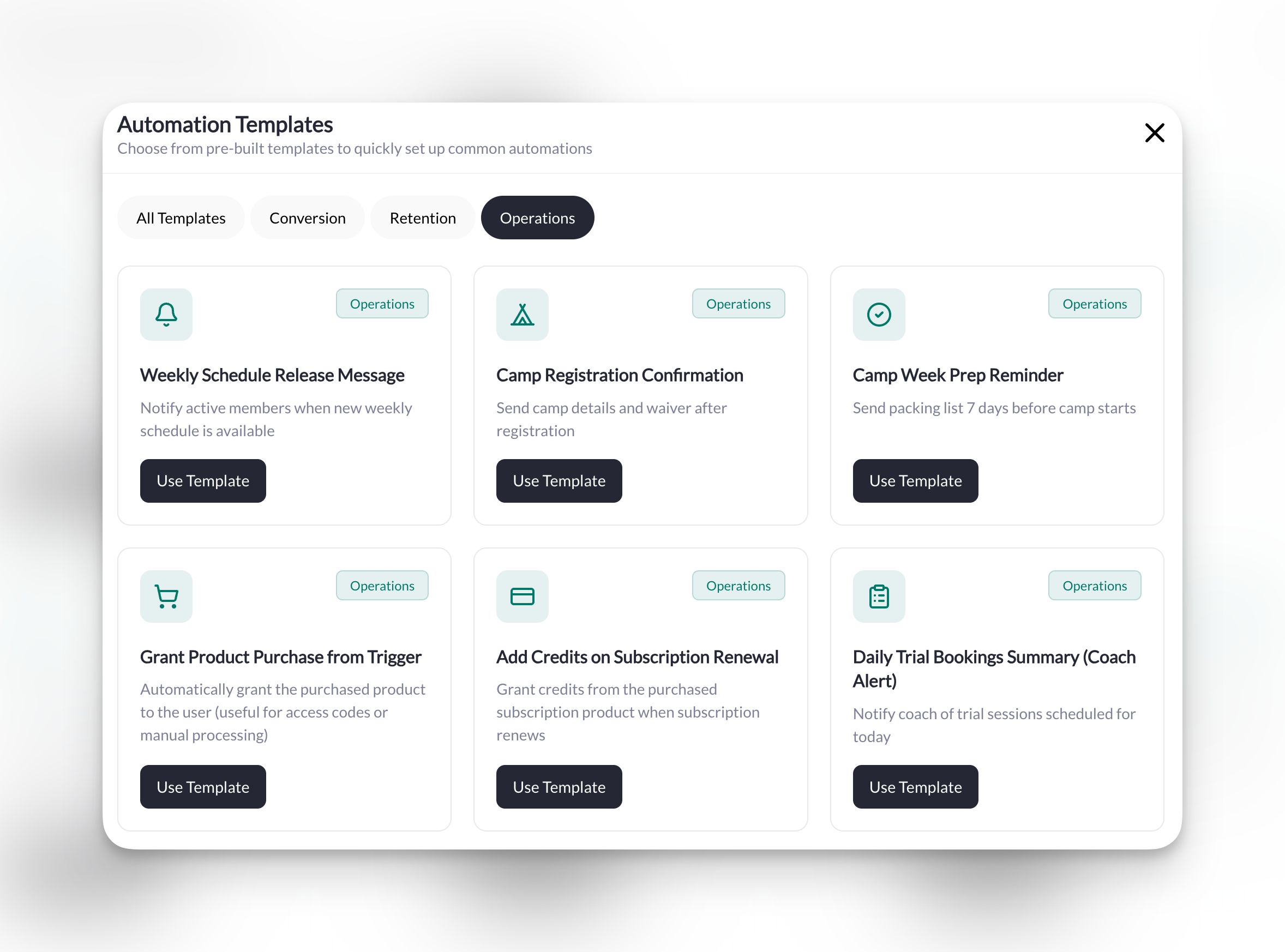
These are the automations CoachIQ coaches use most. Find your goal, copy the setup, customize the message—you'll be up and running in minutes.
Several of these use **Scheduled Automations**, which run on a schedule (daily, weekly, monthly, or once on a specific date) instead of reacting to an event. If you're new to those, check out [Scheduled Automations](/tools/automations/scheduled-automations) for a deeper explanation. Every trigger, condition, and action named below is listed in the [Triggers & Actions Reference](/tools/automations/triggers-actions-reference).
**Before you enable any recipe**: build it with **Enabled** off, point it at a test account or a "Test" tag you've only given yourself, click **Test Run**, check **Execution Logs**, and then switch it on. Message and SMS actions really send, even from a Test Run. Each recipe below also lists its **manual prerequisites**—the tags, products, forms, or sessions you need to have created first.
**Dynamic fields**: the templates use tokens like `{{field.user.firstName}}`. Type `@` in a message field to insert one from a list, or copy them exactly as shown, braces included.
***
## Converting Leads & Trials
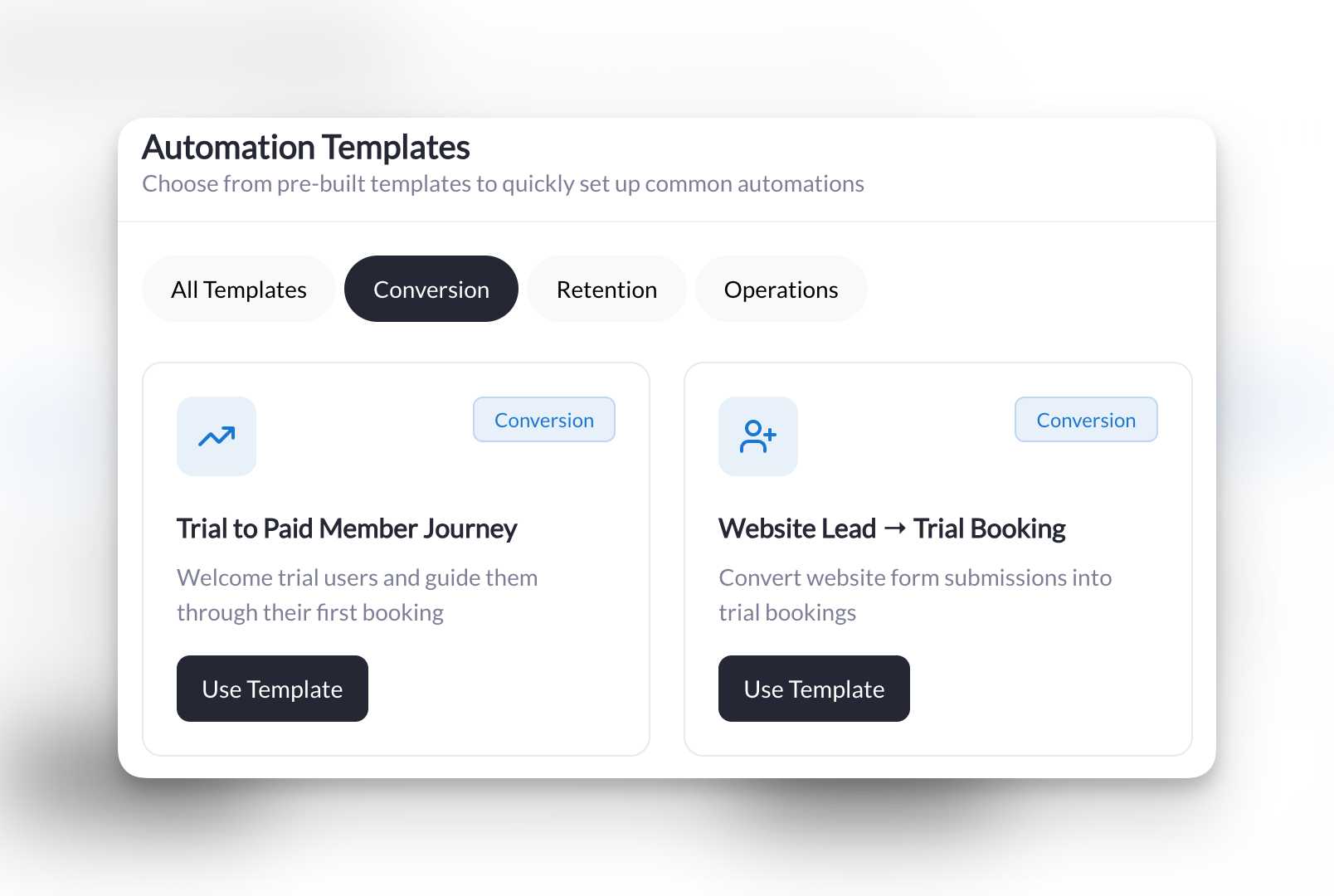
Turn website visitors into trial bookers, and trial bookers into paying members.
**What it does**: When someone fills out your trial request [form](/tools/forms/overview), automatically send them an email with a link to [book their free session](/scheduling/creating-your-first-scheduler).
| Trigger | Condition | Action |
| -------------- | ------------------ | ------------- |
| Form Submitted | Is a specific form | Send an Email |
**Manual prerequisites**: a published trial request or contact form, and the booking link for your trial session.
**Setup**:
1. **Trigger**: Form Submitted
2. **Condition**: Is a specific form → Select your trial request or contact form
3. **Action**: Send an Email
* **Target User**: User from trigger
* **Subject**: `Your trial session at [Your Business Name]`
**Message template**:
```
Thanks for your interest, {{field.user.firstName}}! Click below to book your FREE trial session:
[paste your trial session's booking link]
See you soon,
[Your Name]
```
**Pro tip**: Add a second action, **Add a Tag to a User** → "Trial Lead", so you can follow up if they don't book. Send an Email has no attachment picker; if you'd rather attach the session than paste a link, use **Send an In-App Message** with **Attach Session** instead.
**What it does**: When someone books their very first session (a trial), send them a personal welcome message to get them excited.
| Trigger | Conditions | Action |
| --------------- | ----------------------------------------- | ---------------------- |
| Booking Created | User's first booking ever = Yes | Send an In-App Message |
| | Is for a specific session = Trial Session | |
**Manual prerequisites**: your trial session/scheduler.
**Setup**:
1. **Trigger**: Booking Created
2. **Conditions** (one **And** group):
* User's first booking ever → Yes
* Is for a specific session → Select your trial session
3. **Action**: Send an In-App Message
* **Target User**: User from trigger
**Message template**:
```
Welcome, {{field.user.firstName}}! Excited for your trial session at {{field.booking.session.title}}. See you soon! 🎉
```
**Pro tip**: Keep this message short and warm. Save the detailed instructions for after they attend.
**What it does**: Every week, check for people who attended a trial but haven't booked again in 7+ days—then send them a nudge to come back.
| Trigger | Conditions | Action |
| ---------------------- | --------------------------- | ---------------------- |
| Scheduled Check | Has tag "Trial Attendee" | Send an In-App Message |
| Weekly, Monday 9:00 AM | Days since last booking > 7 | |
**Manual prerequisites**: a "Trial Attendee" tag, and a way to apply it (see the tip below). Your main session, to attach.
**Setup**:
1. **Trigger**: Scheduled Check
* **Schedule**: Weekly, Monday, 9:00 AM, in your timezone
2. **Conditions** (one **And** group):
* Has a specific tag → "Trial Attendee"
* Days since last booking is → Greater than 7
3. **Action**: Send an In-App Message
* **Target User**: User from trigger
* **Attach Session**: Select your main session
**Message template**:
```
Miss training with us, {{field.user.firstName}}? Come back this week—here's your schedule:
[Session link will be automatically included]
```
**Pro tip**: Automate the tag too. A second automation with the **Booking Ended** trigger, condition **Is for a specific session → your trial session**, and action **Add a Tag to a User → "Trial Attendee"** tags everyone the moment their trial finishes.
 ***
## Welcoming New Members
Make every new member feel like they made the right decision.
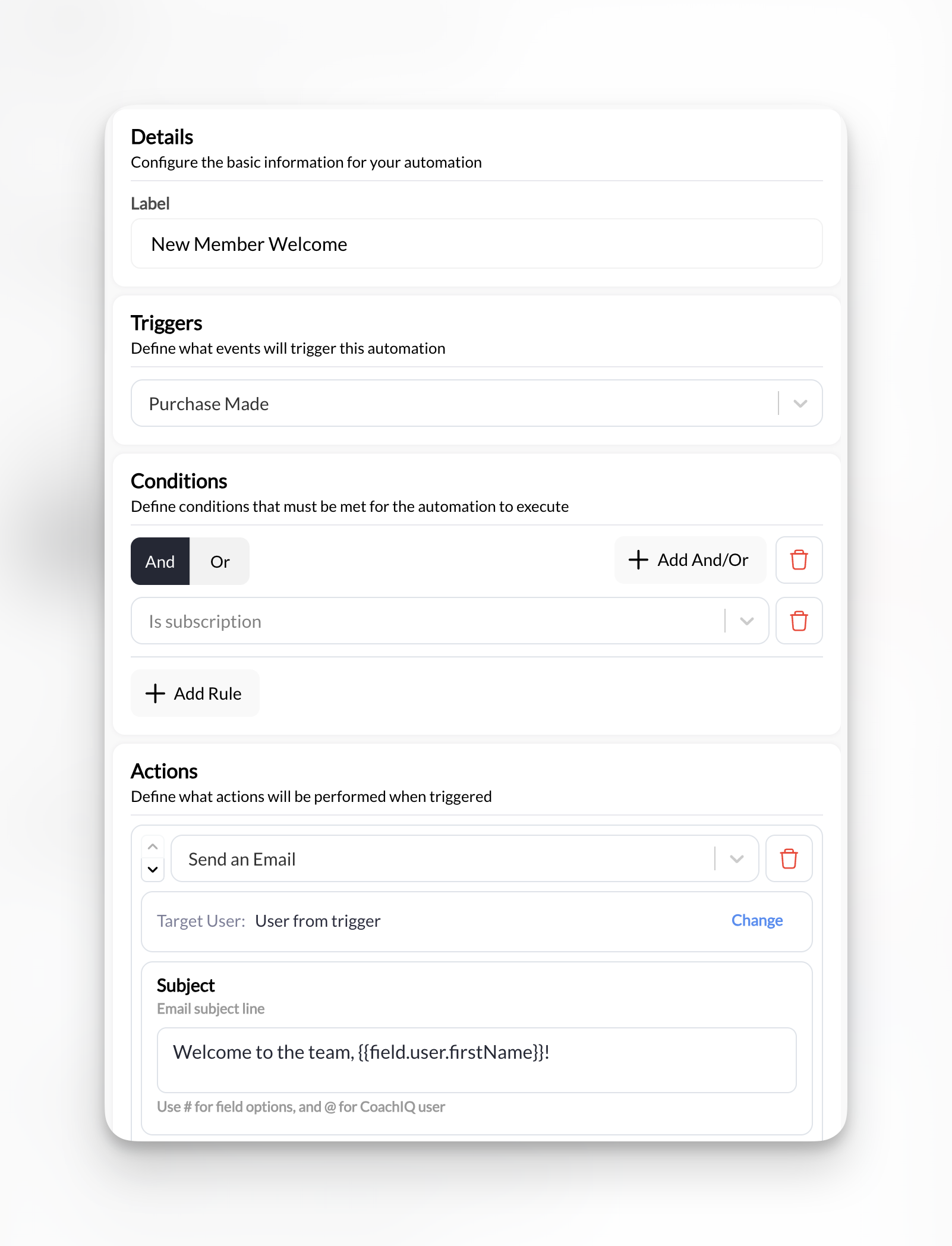
**What it does**: When someone [purchases a subscription](/payments/product-overview), automatically send a welcome email with [booking instructions](/scheduling/overview) and [tag](/people/tags-filters) them as an active member.
| Trigger | Condition | Actions |
| ------------- | ----------------------- | -------------------------- |
| Purchase Made | Is a subscription = Yes | 1. Send an Email |
| | | 2. Add tag "Active Member" |
**Manual prerequisites**: an "Active Member" tag (or create it from the action), and the booking link for your intro or main session.
**Setup**:
1. **Trigger**: Purchase Made
2. **Condition**: Is a subscription → Yes
3. **Action 1**: Send an Email
* **Target User**: User from trigger
* **Subject**: `Welcome to the team, {{field.user.firstName}}!`
4. **Action 2**: Add a Tag to a User
* **Target User**: User from trigger
* **Tag**: "Active Member"
**Message template**:
```
You're officially part of the [Your Business Name] family! Here's how to book your first session:
[paste your session's booking link]
Welcome aboard,
[Your Name]
```
**Pro tip**: This is the automation from [Build Your First Automation](/tools/automations/build-your-first-automation). If you already set that up, you're covered!
***
## Welcoming New Members
Make every new member feel like they made the right decision.
**What it does**: When someone [purchases a subscription](/payments/product-overview), automatically send a welcome email with [booking instructions](/scheduling/overview) and [tag](/people/tags-filters) them as an active member.
| Trigger | Condition | Actions |
| ------------- | ----------------------- | -------------------------- |
| Purchase Made | Is a subscription = Yes | 1. Send an Email |
| | | 2. Add tag "Active Member" |
**Manual prerequisites**: an "Active Member" tag (or create it from the action), and the booking link for your intro or main session.
**Setup**:
1. **Trigger**: Purchase Made
2. **Condition**: Is a subscription → Yes
3. **Action 1**: Send an Email
* **Target User**: User from trigger
* **Subject**: `Welcome to the team, {{field.user.firstName}}!`
4. **Action 2**: Add a Tag to a User
* **Target User**: User from trigger
* **Tag**: "Active Member"
**Message template**:
```
You're officially part of the [Your Business Name] family! Here's how to book your first session:
[paste your session's booking link]
Welcome aboard,
[Your Name]
```
**Pro tip**: This is the automation from [Build Your First Automation](/tools/automations/build-your-first-automation). If you already set that up, you're covered!
 ***
## Keeping Members Active
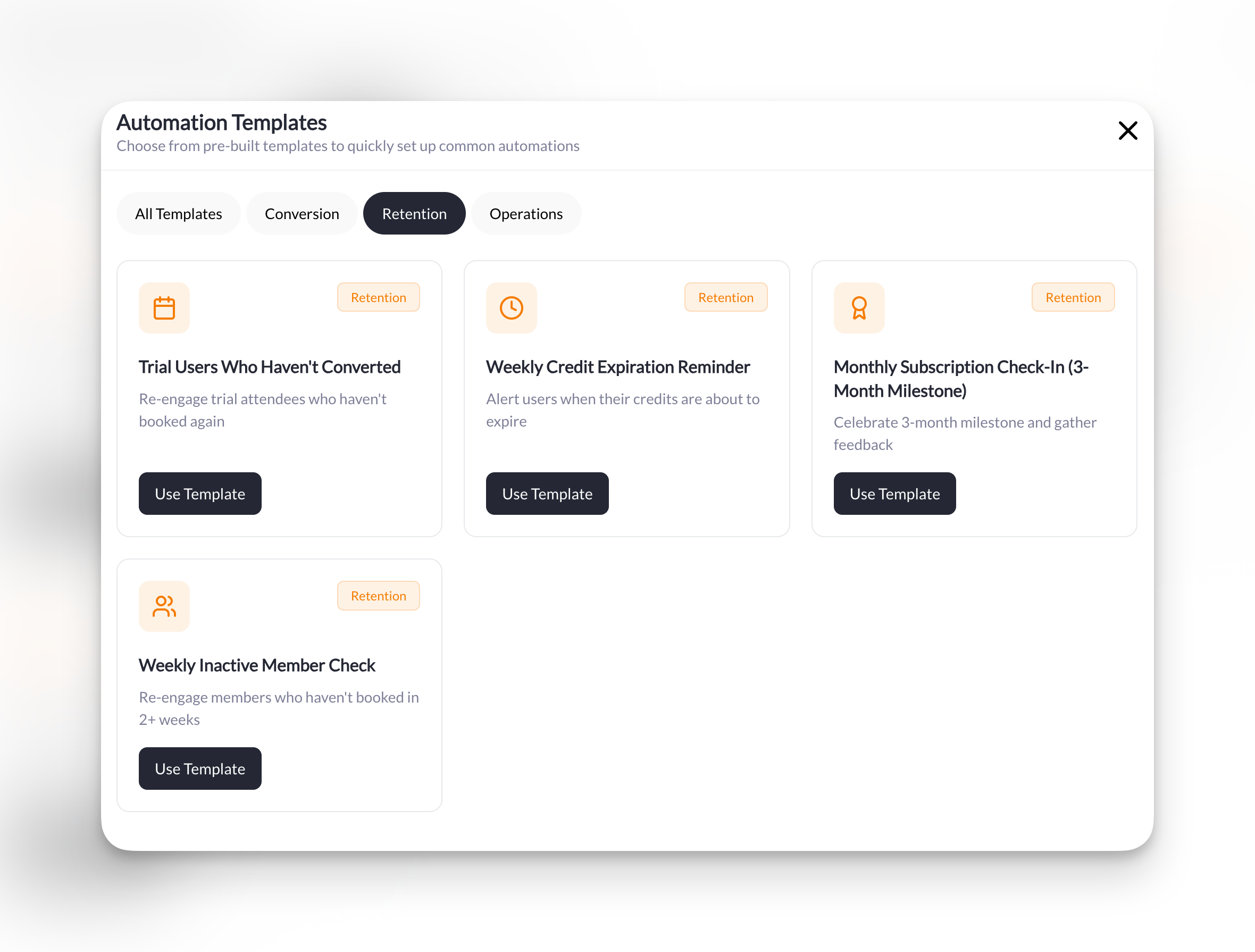
Catch disengaged members before they cancel and keep your credit users booking sessions.
**What it does**: Every week, find members who haven't trained in 14+ days and send them a friendly nudge to book a session.
| Trigger | Conditions | Action |
| ---------------------- | ----------------------------- | ---------------------- |
| Scheduled Check | Days since last booking > 14 | Send an In-App Message |
| Weekly, Sunday 6:00 PM | Has active subscription = Yes | |
**Manual prerequisites**: your primary session, to attach. Fully automatic once enabled.
**Setup**:
1. **Trigger**: Scheduled Check
* **Schedule**: Weekly, Sunday, 6:00 PM, in your timezone
2. **Conditions** (one **And** group):
* Days since last booking is → Greater than 14
* Has active subscription → Yes
3. **Action**: Send an In-App Message
* **Target User**: User from trigger
* **Attach Session**: Select your primary session
**Message template**:
```
We miss you! It's been {{field.user.booking.days_since_last}} days since your last session. Come back this week?
[Session link will be automatically included]
```
**Pro tip**: Sunday evening is a great time for this—people are planning their week ahead.
**What it does**: Every week, find members whose credits expire in less than 7 days and remind them to book before they lose them.
| Trigger | Condition | Action |
| ---------------------- | ------------------------------ | ---------------------- |
| Scheduled Check | Days until credits expire \< 7 | Send an In-App Message |
| Weekly, Monday 9:00 AM | | |
**Manual prerequisites**: any session, to attach. Fully automatic once enabled.
**Setup**:
1. **Trigger**: Scheduled Check
* **Schedule**: Weekly, Monday, 9:00 AM, in your timezone
2. **Condition**: Days until credits expire is → Less than 7
3. **Action**: Send an In-App Message
* **Target User**: User from trigger
* **Attach Session**: Select any session
**Message template**:
```
You have {{field.user.credits.count}} credits expiring in {{field.user.credits.expire_days}} days! Book your sessions now:
[Session link will be automatically included]
```
**Pro tip**: The dynamic fields `{{field.user.credits.count}}` and `{{field.user.credits.expire_days}}` make this message urgent and personal without any manual work.
**What it does**: On the 1st of each month, find members who have been subscribed for at least 90 days and haven't been congratulated yet, send them a celebration message, and tag them so they never get it twice.
| Trigger | Conditions | Actions |
| ---------------------- | ------------------------------------- | ------------------------------- |
| Scheduled Check | Has active subscription = Yes | 1. Send an In-App Message |
| Monthly, 1st, 10:00 AM | Subscription active for X days ≥ 90 | 2. Add tag "3-Month Celebrated" |
| | Doesn't have tag "3-Month Celebrated" | |
**Manual prerequisites**: a "3-Month Celebrated" tag (or create it from the action). Nothing to pre-seed—the automation finds milestone members on its own.
**Setup**:
1. **Trigger**: Scheduled Check
* **Schedule**: Monthly, day 1, 10:00 AM, in your timezone
2. **Conditions** (one **And** group):
* Has active subscription → Yes
* Subscription active for X days → 90
* Doesn't have a specific tag → "3-Month Celebrated"
3. **Action 1**: Send an In-App Message
* **Target User**: User from trigger
4. **Action 2**: Add a Tag to a User
* **Target User**: User from trigger
* **Tag**: "3-Month Celebrated"
**Message template**:
```
{{field.user.firstName}}, you've been training with us for 3 months! 🎉 How's your experience going? Hit reply and let me know!
```
**Why the tag**: the tag is what makes this one-and-done. Anyone who already has it is filtered out on the next run, so the message goes out once per member regardless of the trigger's send mode. Because it runs monthly, members are congratulated on the first run after they pass 90 days—up to a few weeks after the exact anniversary.
***
## Keeping Members Active
Catch disengaged members before they cancel and keep your credit users booking sessions.
**What it does**: Every week, find members who haven't trained in 14+ days and send them a friendly nudge to book a session.
| Trigger | Conditions | Action |
| ---------------------- | ----------------------------- | ---------------------- |
| Scheduled Check | Days since last booking > 14 | Send an In-App Message |
| Weekly, Sunday 6:00 PM | Has active subscription = Yes | |
**Manual prerequisites**: your primary session, to attach. Fully automatic once enabled.
**Setup**:
1. **Trigger**: Scheduled Check
* **Schedule**: Weekly, Sunday, 6:00 PM, in your timezone
2. **Conditions** (one **And** group):
* Days since last booking is → Greater than 14
* Has active subscription → Yes
3. **Action**: Send an In-App Message
* **Target User**: User from trigger
* **Attach Session**: Select your primary session
**Message template**:
```
We miss you! It's been {{field.user.booking.days_since_last}} days since your last session. Come back this week?
[Session link will be automatically included]
```
**Pro tip**: Sunday evening is a great time for this—people are planning their week ahead.
**What it does**: Every week, find members whose credits expire in less than 7 days and remind them to book before they lose them.
| Trigger | Condition | Action |
| ---------------------- | ------------------------------ | ---------------------- |
| Scheduled Check | Days until credits expire \< 7 | Send an In-App Message |
| Weekly, Monday 9:00 AM | | |
**Manual prerequisites**: any session, to attach. Fully automatic once enabled.
**Setup**:
1. **Trigger**: Scheduled Check
* **Schedule**: Weekly, Monday, 9:00 AM, in your timezone
2. **Condition**: Days until credits expire is → Less than 7
3. **Action**: Send an In-App Message
* **Target User**: User from trigger
* **Attach Session**: Select any session
**Message template**:
```
You have {{field.user.credits.count}} credits expiring in {{field.user.credits.expire_days}} days! Book your sessions now:
[Session link will be automatically included]
```
**Pro tip**: The dynamic fields `{{field.user.credits.count}}` and `{{field.user.credits.expire_days}}` make this message urgent and personal without any manual work.
**What it does**: On the 1st of each month, find members who have been subscribed for at least 90 days and haven't been congratulated yet, send them a celebration message, and tag them so they never get it twice.
| Trigger | Conditions | Actions |
| ---------------------- | ------------------------------------- | ------------------------------- |
| Scheduled Check | Has active subscription = Yes | 1. Send an In-App Message |
| Monthly, 1st, 10:00 AM | Subscription active for X days ≥ 90 | 2. Add tag "3-Month Celebrated" |
| | Doesn't have tag "3-Month Celebrated" | |
**Manual prerequisites**: a "3-Month Celebrated" tag (or create it from the action). Nothing to pre-seed—the automation finds milestone members on its own.
**Setup**:
1. **Trigger**: Scheduled Check
* **Schedule**: Monthly, day 1, 10:00 AM, in your timezone
2. **Conditions** (one **And** group):
* Has active subscription → Yes
* Subscription active for X days → 90
* Doesn't have a specific tag → "3-Month Celebrated"
3. **Action 1**: Send an In-App Message
* **Target User**: User from trigger
4. **Action 2**: Add a Tag to a User
* **Target User**: User from trigger
* **Tag**: "3-Month Celebrated"
**Message template**:
```
{{field.user.firstName}}, you've been training with us for 3 months! 🎉 How's your experience going? Hit reply and let me know!
```
**Why the tag**: the tag is what makes this one-and-done. Anyone who already has it is filtered out on the next run, so the message goes out once per member regardless of the trigger's send mode. Because it runs monthly, members are congratulated on the first run after they pass 90 days—up to a few weeks after the exact anniversary.
 ***
## Camps & Events
Streamline registration confirmations and pre-event communication.
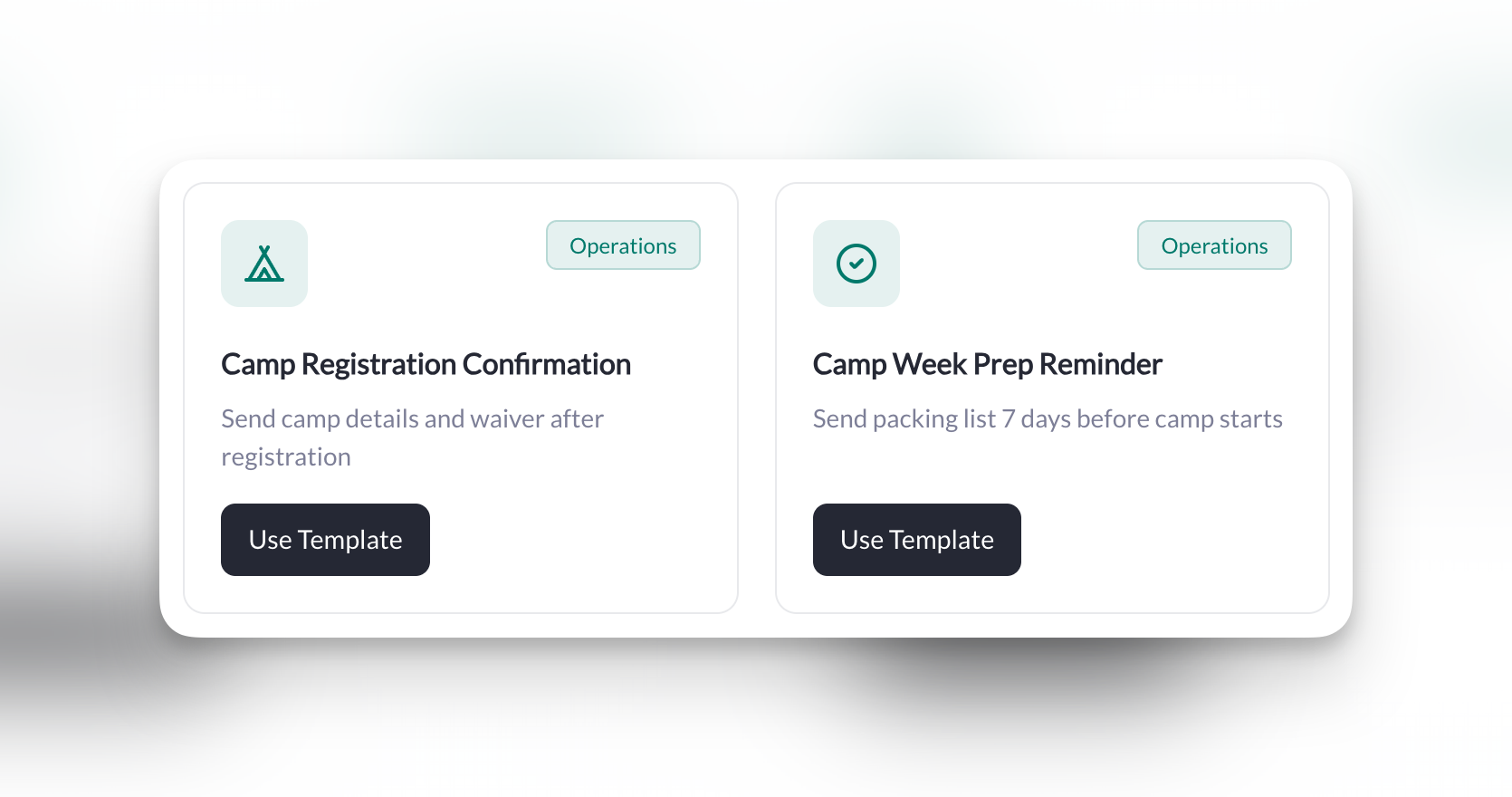
**What it does**: When someone purchases a camp, automatically send a confirmation email and tag them for future camp communications.
| Trigger | Condition | Actions |
| ------------- | ------------------------------- | -------------------------- |
| Purchase Made | Is a specific product = \[Camp] | 1. Send an Email |
| | | 2. Add tag "Camp Attendee" |
**Manual prerequisites**: the camp product, and a "Camp Attendee" tag (or create it from the action).
**Setup**:
1. **Trigger**: Purchase Made
2. **Condition**: Is a specific product → Select your camp product
3. **Action 1**: Send an Email
* **Target User**: User from trigger
* **Subject**: `You're registered for camp!`
4. **Action 2**: Add a Tag to a User
* **Target User**: User from trigger
* **Tag**: "Camp Attendee"
**Message template**:
```
Can't wait to see {{field.user.firstName}} at camp! Check-in is at 9 AM on Day 1.
Questions? Just reply to this email.
See you there!
[Your Name]
```
**Pro tip**: Create a separate tag for each camp (e.g., "Summer Camp 2026") so you can send targeted updates.
**What it does**: One week before camp starts, send registered families a prep email with packing list and schedule.
| Trigger | Condition | Action |
| ------------------------------------------- | ----------------------- | ------------- |
| Scheduled Check | Has tag "Camp Attendee" | Send an Email |
| Specific Date, 7 days before camp, 10:00 AM | | |
**Manual prerequisites**: the "Camp Attendee" tag applied to every camper (the Camp Registration Confirmation recipe above does this for you), and the link to your camp info form.
**Setup**:
1. **Trigger**: Scheduled Check
* **Schedule**: Specific Date → the date 7 days before camp, 10:00 AM, in your timezone
2. **Condition**: Has a specific tag → "Camp Attendee"
3. **Action**: Send an Email
* **Target User**: User from trigger
* **Subject**: `Camp starts in 7 days! Here's what to bring 🎒`
**Message template**:
```
Getting ready for camp! Here's your packing list and schedule:
[paste the link to your camp info form]
See you soon!
[Your Name]
```
**How to use this**: a Specific Date schedule runs once and then stops, so there's no tag to remove afterward. Running several camps? Use one tag per camp (e.g., "Summer Camp 2026") and one prep automation per camp date. To attach the form rather than paste a link, use **Send an In-App Message** with **Attach Form**.
***
## Camps & Events
Streamline registration confirmations and pre-event communication.
**What it does**: When someone purchases a camp, automatically send a confirmation email and tag them for future camp communications.
| Trigger | Condition | Actions |
| ------------- | ------------------------------- | -------------------------- |
| Purchase Made | Is a specific product = \[Camp] | 1. Send an Email |
| | | 2. Add tag "Camp Attendee" |
**Manual prerequisites**: the camp product, and a "Camp Attendee" tag (or create it from the action).
**Setup**:
1. **Trigger**: Purchase Made
2. **Condition**: Is a specific product → Select your camp product
3. **Action 1**: Send an Email
* **Target User**: User from trigger
* **Subject**: `You're registered for camp!`
4. **Action 2**: Add a Tag to a User
* **Target User**: User from trigger
* **Tag**: "Camp Attendee"
**Message template**:
```
Can't wait to see {{field.user.firstName}} at camp! Check-in is at 9 AM on Day 1.
Questions? Just reply to this email.
See you there!
[Your Name]
```
**Pro tip**: Create a separate tag for each camp (e.g., "Summer Camp 2026") so you can send targeted updates.
**What it does**: One week before camp starts, send registered families a prep email with packing list and schedule.
| Trigger | Condition | Action |
| ------------------------------------------- | ----------------------- | ------------- |
| Scheduled Check | Has tag "Camp Attendee" | Send an Email |
| Specific Date, 7 days before camp, 10:00 AM | | |
**Manual prerequisites**: the "Camp Attendee" tag applied to every camper (the Camp Registration Confirmation recipe above does this for you), and the link to your camp info form.
**Setup**:
1. **Trigger**: Scheduled Check
* **Schedule**: Specific Date → the date 7 days before camp, 10:00 AM, in your timezone
2. **Condition**: Has a specific tag → "Camp Attendee"
3. **Action**: Send an Email
* **Target User**: User from trigger
* **Subject**: `Camp starts in 7 days! Here's what to bring 🎒`
**Message template**:
```
Getting ready for camp! Here's your packing list and schedule:
[paste the link to your camp info form]
See you soon!
[Your Name]
```
**How to use this**: a Specific Date schedule runs once and then stops, so there's no tag to remove afterward. Running several camps? Use one tag per camp (e.g., "Summer Camp 2026") and one prep automation per camp date. To attach the form rather than paste a link, use **Send an In-App Message** with **Attach Form**.
 ***
## Weekly Operations
Automate your recurring announcements and stay on top of your schedule.
**What it does**: Every Monday morning, announce that the weekly schedule is live and prompt members to book their sessions.
| Trigger | Condition | Action |
| ---------------------- | ----------------------------- | -------------------- |
| Scheduled Check | Has active subscription = Yes | Send an Announcement |
| Weekly, Monday 8:00 AM | | |
**Manual prerequisites**: your primary training session, to attach. Because this should go out every week, set the trigger's send mode to send on every run (see [How Scheduled Automations Run](/tools/automations/scheduled-automations#how-scheduled-automations-run)).
**Setup**:
1. **Trigger**: Scheduled Check
* **Schedule**: Weekly, Monday, 8:00 AM, in your timezone
2. **Condition**: Has active subscription → Yes
3. **Action**: Send an [Announcement](/inbox/announcements)
* **Target User**: User from trigger
* **Title**: `This Week's Schedule is LIVE! 🗓️`
* **Attach Session**: Select your primary training session
**Message template**:
```
Hey team! This week's sessions are ready to book. Grab your spots now!
[Session link will be automatically included]
```
**Pro tip**: Targeting **User from trigger** sends the announcement to each subscriber the schedule found. If you'd rather post one announcement to a tag such as "Active Members", set **Target User** to specific tags instead—and then you don't need the subscription condition at all.
**What it does**: Every morning, get a notification about any trial sessions happening today so you're prepared to convert.
| Trigger | Conditions | Action |
| --------------- | ---------------------------------------- | ---------------------- |
| Scheduled Check | Has upcoming booking = Has booking today | Send an In-App Message |
| Daily, 7:00 AM | Has tag "Trial User" | |
**Manual prerequisites**: a "Trial User" tag applied to trial athletes, and your own coach profile as the recipient. Set the trigger's send mode to send on every run, or you'll only hear about each athlete's first trial day.
**Setup**:
1. **Trigger**: Scheduled Check
* **Schedule**: Daily, 7:00 AM, in your timezone
2. **Conditions** (one **And** group):
* Has upcoming booking → Has booking today
* Has a specific tag → "Trial User"
3. **Action**: Send an In-App Message
* **Target User**: Change → select yourself (the coach)
**Message template**:
```
📋 Trial today: {{field.user.firstName}} {{field.user.lastName}} has a trial session.
```
**This one's different**: Most automations message your members. This one messages YOU—it's a daily briefing so you never forget about a trial. You'll get one message per matching athlete. Use **Test Run** with a tagged test athlete first to confirm the athlete's name fills in when the message is sent to you rather than to them.
***
## Weekly Operations
Automate your recurring announcements and stay on top of your schedule.
**What it does**: Every Monday morning, announce that the weekly schedule is live and prompt members to book their sessions.
| Trigger | Condition | Action |
| ---------------------- | ----------------------------- | -------------------- |
| Scheduled Check | Has active subscription = Yes | Send an Announcement |
| Weekly, Monday 8:00 AM | | |
**Manual prerequisites**: your primary training session, to attach. Because this should go out every week, set the trigger's send mode to send on every run (see [How Scheduled Automations Run](/tools/automations/scheduled-automations#how-scheduled-automations-run)).
**Setup**:
1. **Trigger**: Scheduled Check
* **Schedule**: Weekly, Monday, 8:00 AM, in your timezone
2. **Condition**: Has active subscription → Yes
3. **Action**: Send an [Announcement](/inbox/announcements)
* **Target User**: User from trigger
* **Title**: `This Week's Schedule is LIVE! 🗓️`
* **Attach Session**: Select your primary training session
**Message template**:
```
Hey team! This week's sessions are ready to book. Grab your spots now!
[Session link will be automatically included]
```
**Pro tip**: Targeting **User from trigger** sends the announcement to each subscriber the schedule found. If you'd rather post one announcement to a tag such as "Active Members", set **Target User** to specific tags instead—and then you don't need the subscription condition at all.
**What it does**: Every morning, get a notification about any trial sessions happening today so you're prepared to convert.
| Trigger | Conditions | Action |
| --------------- | ---------------------------------------- | ---------------------- |
| Scheduled Check | Has upcoming booking = Has booking today | Send an In-App Message |
| Daily, 7:00 AM | Has tag "Trial User" | |
**Manual prerequisites**: a "Trial User" tag applied to trial athletes, and your own coach profile as the recipient. Set the trigger's send mode to send on every run, or you'll only hear about each athlete's first trial day.
**Setup**:
1. **Trigger**: Scheduled Check
* **Schedule**: Daily, 7:00 AM, in your timezone
2. **Conditions** (one **And** group):
* Has upcoming booking → Has booking today
* Has a specific tag → "Trial User"
3. **Action**: Send an In-App Message
* **Target User**: Change → select yourself (the coach)
**Message template**:
```
📋 Trial today: {{field.user.firstName}} {{field.user.lastName}} has a trial session.
```
**This one's different**: Most automations message your members. This one messages YOU—it's a daily briefing so you never forget about a trial. You'll get one message per matching athlete. Use **Test Run** with a tagged test athlete first to confirm the athlete's name fills in when the message is sent to you rather than to them.
 ***
## What's Next?
Learn how scheduled automations work—the trigger behind credit reminders, inactive member checks, and weekly operations.
See every trigger, condition, data source, action, and dynamic field available in CoachIQ automations.
## Related articles
What each section of the builder does, including Test Run and Execution Logs
Create the forms that trigger lead-capture automations
Set up memberships, credit packs, and camps that trigger purchase automations
Manage sessions referenced in booking automations
Learn about the announcement action used in weekly operations automations
Organize members with tags used throughout these playbook automations
See how form responses connect to automation triggers
***
## What's Next?
Learn how scheduled automations work—the trigger behind credit reminders, inactive member checks, and weekly operations.
See every trigger, condition, data source, action, and dynamic field available in CoachIQ automations.
## Related articles
What each section of the builder does, including Test Run and Execution Logs
Create the forms that trigger lead-capture automations
Set up memberships, credit packs, and camps that trigger purchase automations
Manage sessions referenced in booking automations
Learn about the announcement action used in weekly operations automations
Organize members with tags used throughout these playbook automations
See how form responses connect to automation triggers